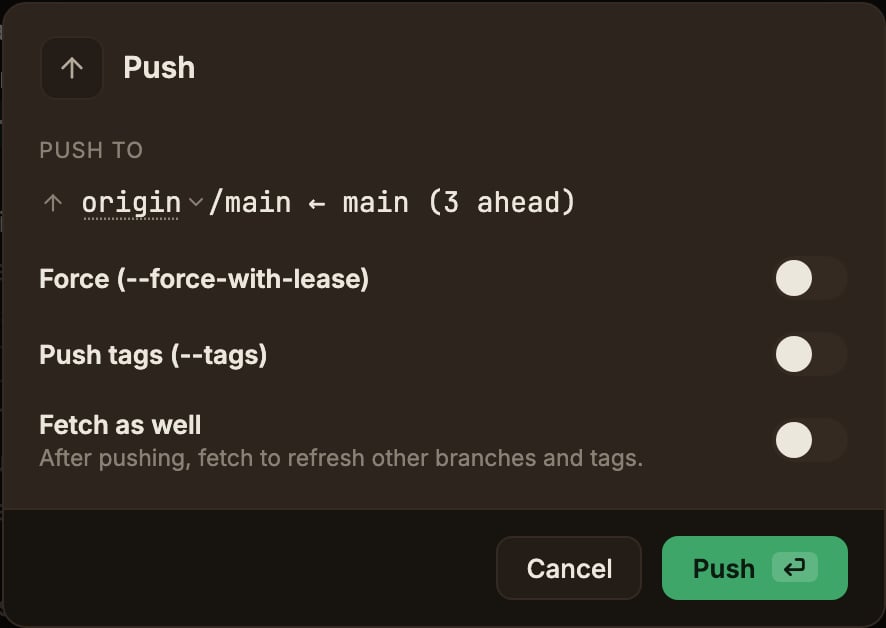
Uploads the current branch of the current worktree to the remote.
The toolbar’s Push button opens the modal.
- Push to shows the destination and the number of commits to send, in the form
<remote>/<branch> ← <branch>.
The remote at the front of that line is the dropdown described in Choosing the remote.
A branch with no upstream gets one registered automatically on push.
- Force (—force-with-lease) applies when pushing again after a rebase or amend.
Turning it on shows a warning and turns the action button red.
- Push tags (—tags) also uploads local tags.
Turning it on shows the list of tags that would actually be pushed.
The default follows Settings → ParalleLane → Git.
Even with --force-with-lease, a force push can still rewrite remote history.
On a shared branch, coordinate with your team.
If a push is rejected because the remote has new commits, Pull first to merge them in, then push again.