

- Pull from shows the source, in the form
<remote>/<branch> → <branch>. - Strategy offers Merge (default), which creates a merge commit, and Rebase, which replays your local commits on top of the remote.
- Autostash stashes your working changes, pulls, then restores them automatically.
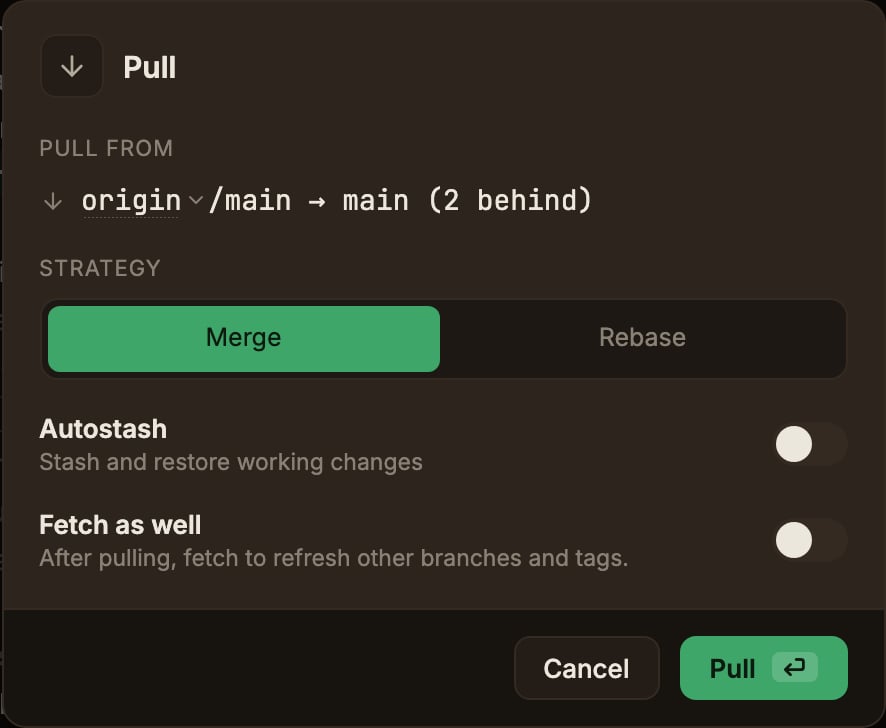
Pull only offers remotes that have the current branch.
If no remote has it yet, the target line is replaced with an explanation and Pull is disabled; push the branch first, or fetch if it already exists on a remote.
Merge is sent to git as an explicit
--no-rebase.
So a pull.rebase = true in your own git config can’t turn the merge you picked into a rebase, and a pull still works when local and remote have diverged.If a pull produces conflicts, resolve them in the Working copy panel.
See Resolving merge conflicts.