

2026-09-23
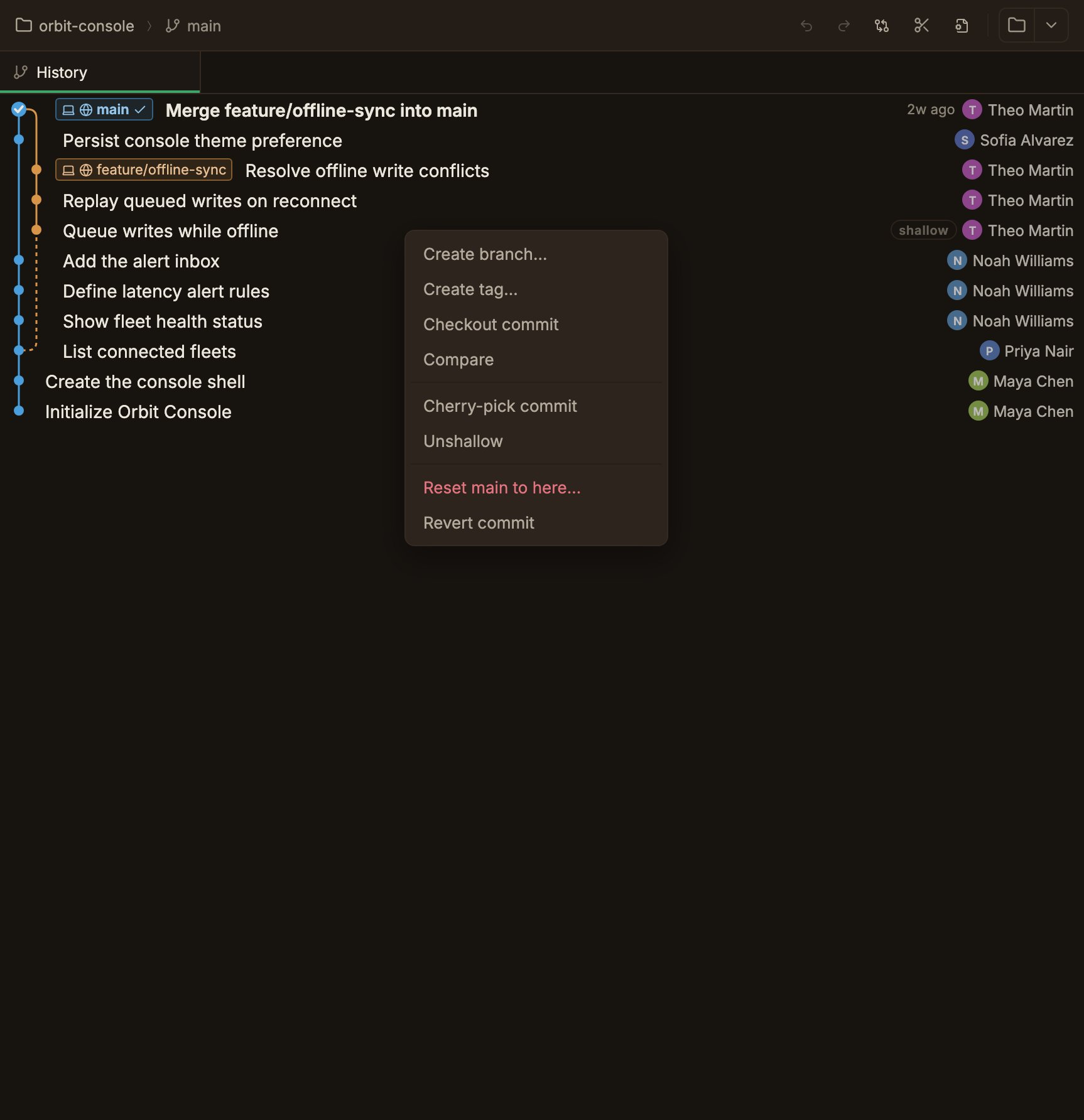
- Shallow Repository Graph
- A
shallowbadge marks the commit row where history is cut off in a shallow repository. - When the parent of a cut-off commit exists locally, the graph draws a dashed line to it.
- Unshallow in that commit’s context menu fetches the full history.
- A
- Bug Fixes
- Deleting a remote branch ran at the same time as fetch, pull, or push in the same repository.
- The waiting notice showed for the wrong repository when the same remote operation ran in several repositories at once.
2026-09-21
- Install With Homebrew
- Install the app on macOS with
brew install --cask yeosu0107/parallelane/parallelane.
- Install the app on macOS with
- Bug Fixes
- Rebase interactively from here… in the commit menu didn’t run on Windows.
- Create pull request stayed clickable on a remote with no branch to use as the base.
- The unpushed-commit note was missing on a branch with no tracking branch.
- A drag that started inside a dialog closed it when released outside.
- Write with AI stayed disabled with no reason when the Claude Code CLI didn’t answer.
- A missing saved token was reported as a keychain problem.
- One failed load of the account list left it empty until the next launch.
- The commit graph reused a stale layout in a shallow clone.
- The reason a button was disabled didn’t reach screen readers.
2026-09-07
Now on Windows. ParalleLane is available in the Microsoft Store.
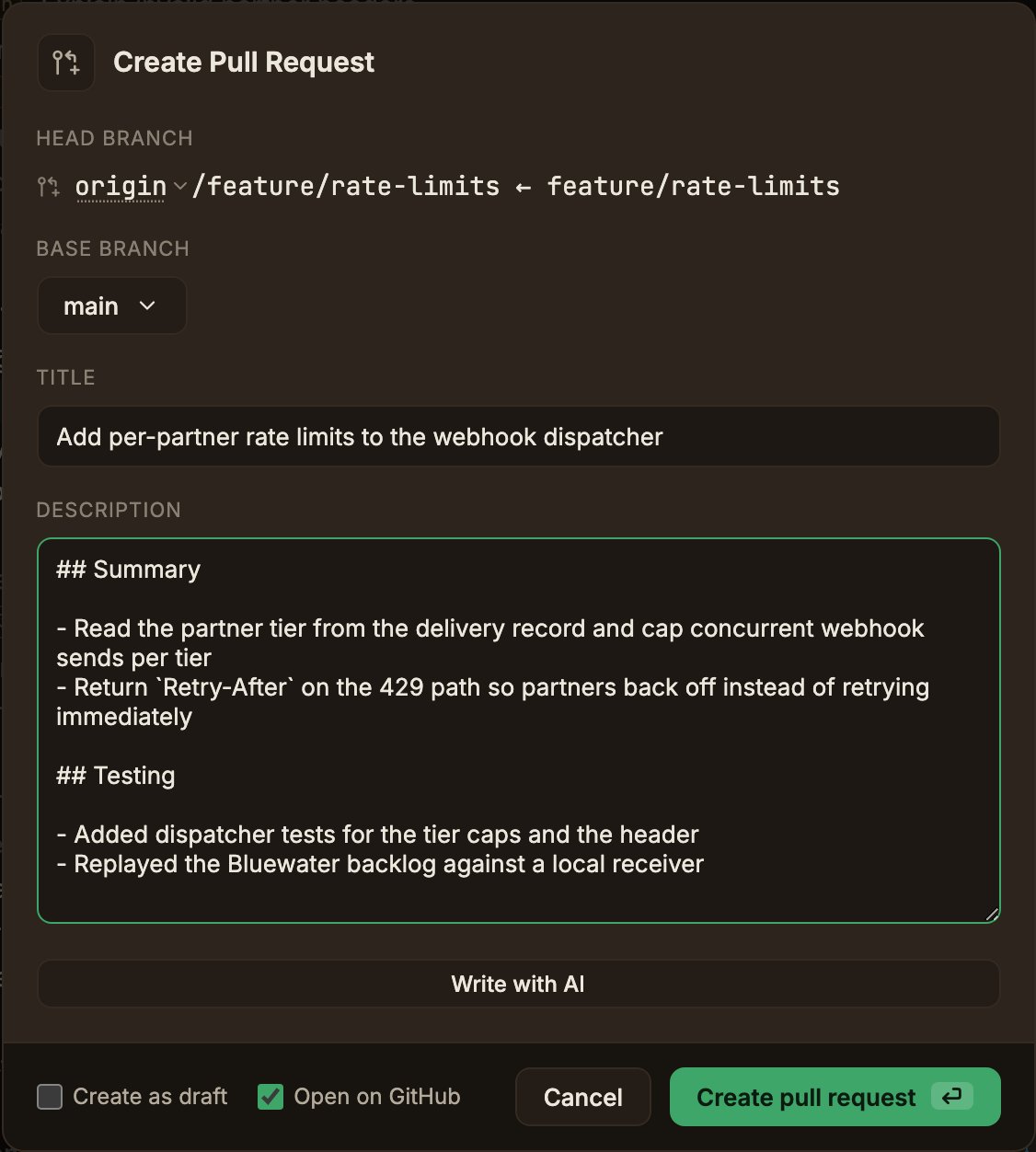
- Pull Requests
- Create a GitHub pull request from the app.
- Write with AI drafts the title and description with Claude Code.
- Bug Fixes
- Git operations failed while auto fetch was running.
- Dialogs overflowed a short window.
- Dragging a text selection out of a dialog closed it.
Enterin a dialog ran an action twice.- Account changes applied only after a reload.
2026-08-28
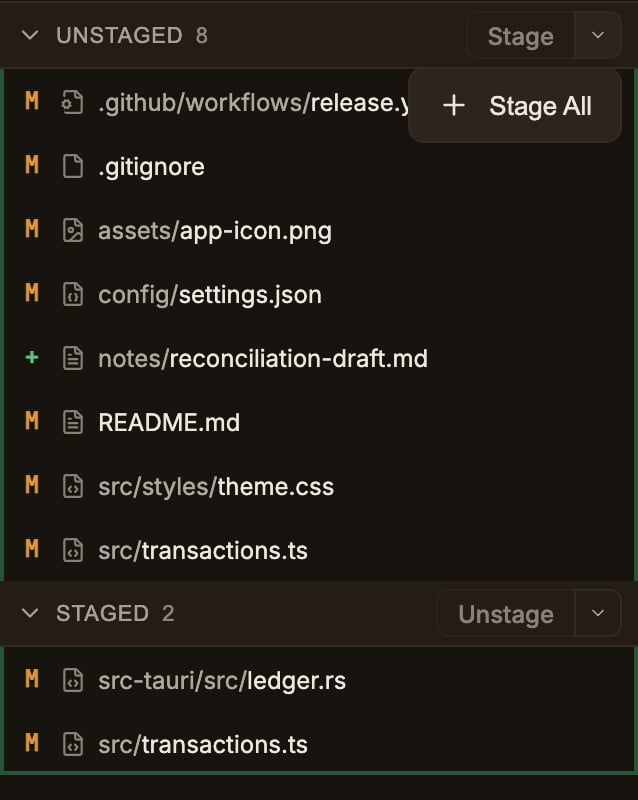
- Stage All and Unstage All
- The Unstaged and Staged headers are now one split button.
- Stage All / Unstage All live in the chevron menu.
- Copy a Tab’s File Path
- Hover a tab for the full path.
- Right-click for Copy relative path and Copy absolute path.
- Open a Project From the Keyboard
Cmd/Ctrl+Oopens the folder picker.- Remappable under Repository in Shortcuts.
- Onboarding Resumes Where You Left It
- Quitting mid-onboarding keeps the account you made.
- The finished steps are skipped on the next launch.
- Bug Fixes
- Staging or unstaging several hundred files hit the command-line length limit.
- Unstaging dropped the
skip-worktreemark in a sparse checkout. - A squash merge with only a submodule change was reported as Already up to date.
- The Git is not installed notice didn’t say what to do when Git was already installed.
2026-08-18
- Pick an Icon For Each Remote
- The remote forms in Settings → Projects → Git have an icon picker.
- Ref Chips No Longer Repeat the Branch Name
- Refs sharing a branch name are one chip.
- Each place the branch lives gets its own icon.
- Bug Fixes
- An empty or failed diff rendered as a blank pane.
2026-08-17
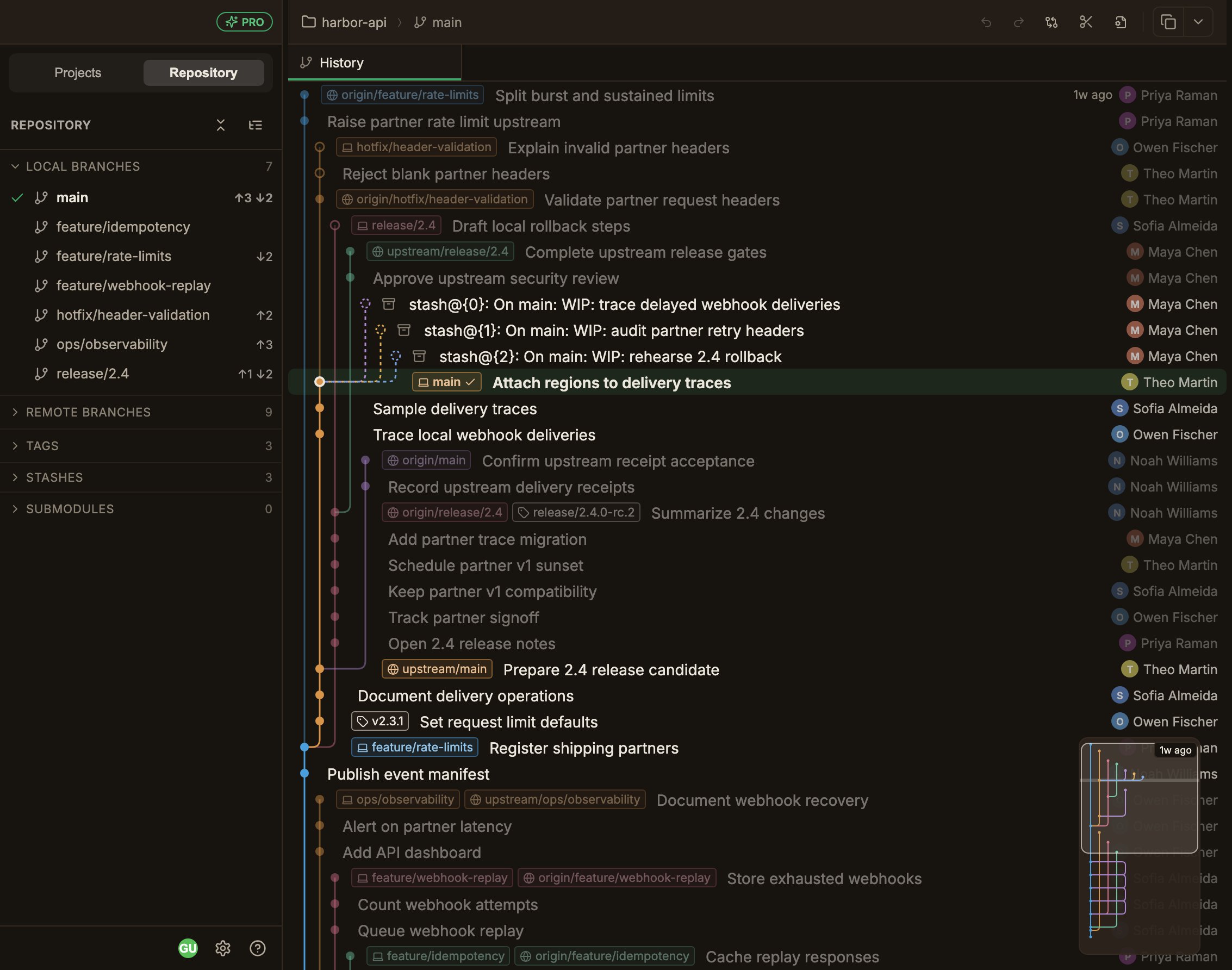
- Working With Several Remotes
- Push, Pull, Fetch, and Prune pick the remote in a dropdown.
- It starts on the remote Git would use.
- No Remote Limit on Basic
- Both plans can add as many remotes as the repository needs.
- Set Tracking Branch
- Set tracking branch… in the branch menus picks or clears the remote branch a local branch tracks.
- One Graph Chip Per Ref
- A branch on two remotes draws a chip per remote, each with that remote’s host icon.
- Checkout From a Remote Chip
- Double-clicking a remote chip checks out against that remote.
- Open In Browser
- Open remote in the Open In menu is now Open in browser.
- Bug Fixes
- Choosing Merge in Pull was overridden by
pull.rebasein your config. - Fast-forward pull was blocked by untracked files.
- The push toggle in Create tag always said
origin. - Diff line backgrounds cut off on horizontal scroll.
- Choosing Merge in Pull was overridden by
2026-08-13
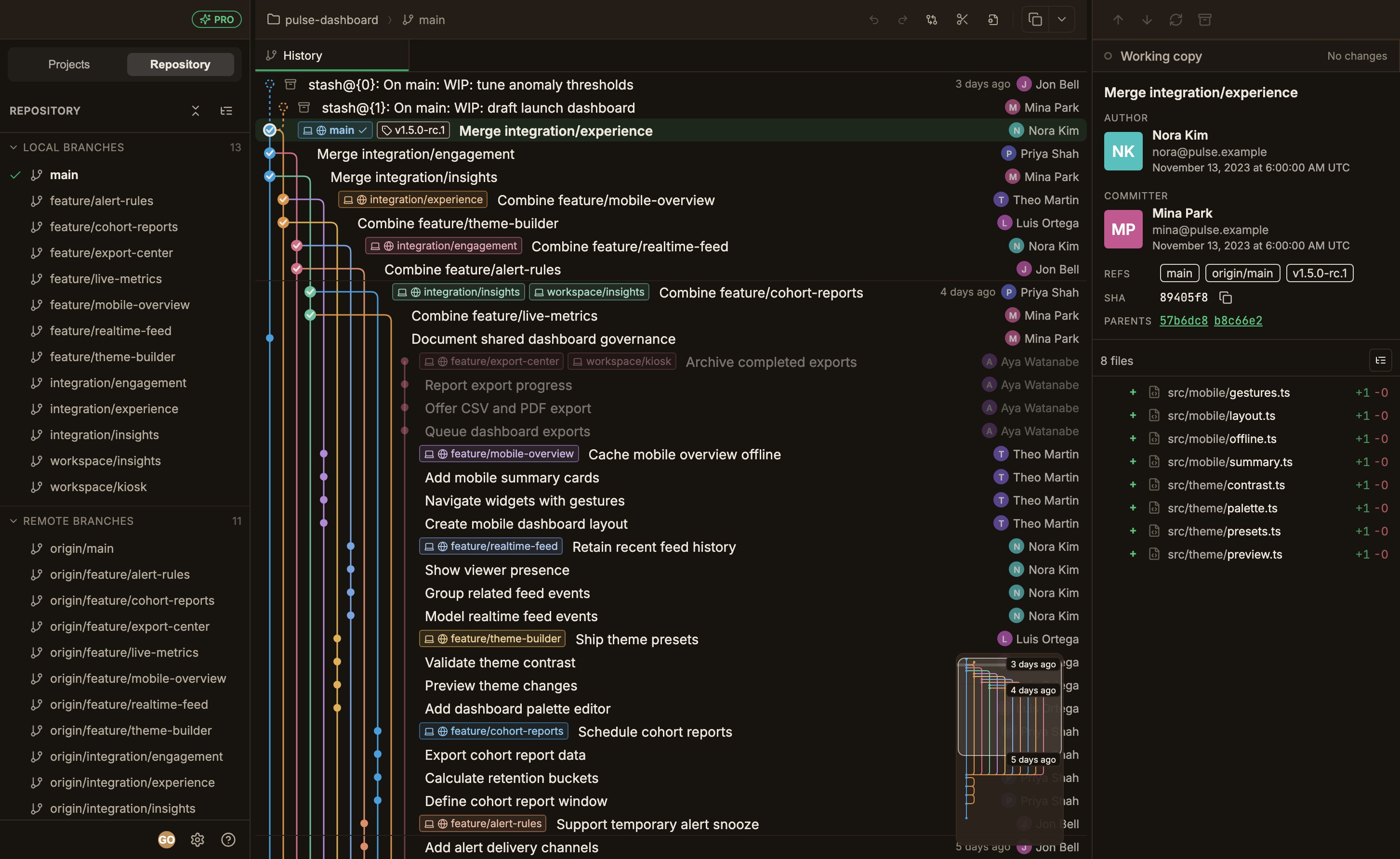
- Clean Up Merged Branches
- The new Cleanup menu deletes local branches already merged into a base branch.
- It also holds prune.
- Help Menu and Feedback
- A Help menu at the bottom of the left sidebar links to the docs.
- It checks for updates and sends feedback.
- Choose Your GPG Program
- Pick the gpg executable in the signing settings.
- Missing Git Detection
- The app tells you at launch when Git isn’t installed.
- Large Working Copy Performance
- Scrolling stays smooth with a very large number of changed files.
- PRO Badge
- A PRO badge appears in the left sidebar header on the Pro plan.
- Bug Fixes
- Hunk and line staging altered file contents with autocrlf.
- Deleting a branch that moved after the list was built took unintended commits with it.
- The account avatar rendered as a square on first launch.
2026-08-08
- First official release.
- Extended Auto-fetch Triggers
- Checkout, push, and pull fetch in the background.
- Manual Update Check
- A menu option checks for updates at any time.
2026-08-08
- Bug Fixes
- Staging or unstaging a file without an EOF newline could corrupt it.
- Changes from other files could mix into the diff view.
- Conflict markers were missed during merge resolution, and a failed squash commit was not rolled back.
- Undo/Redo could overlap across worktrees, and the graph did not refresh after checking out a remote branch.
- Stash history, graph navigation, and worktree switching were slow in large repositories.
- Discarding file changes and loading worktree paths were slow.
- Connections to GitLab and self-hosted servers, and keychain permission prompts, were unreliable.
- The screen flickered and updated out of order when repository changes synced.
2026-08-02
- The historic first version.