
Turning Blame on
Turn on the Blame in compare view toggle in Settings → ParalleLane → Git. When it’s on, the column appears automatically in every Compare view.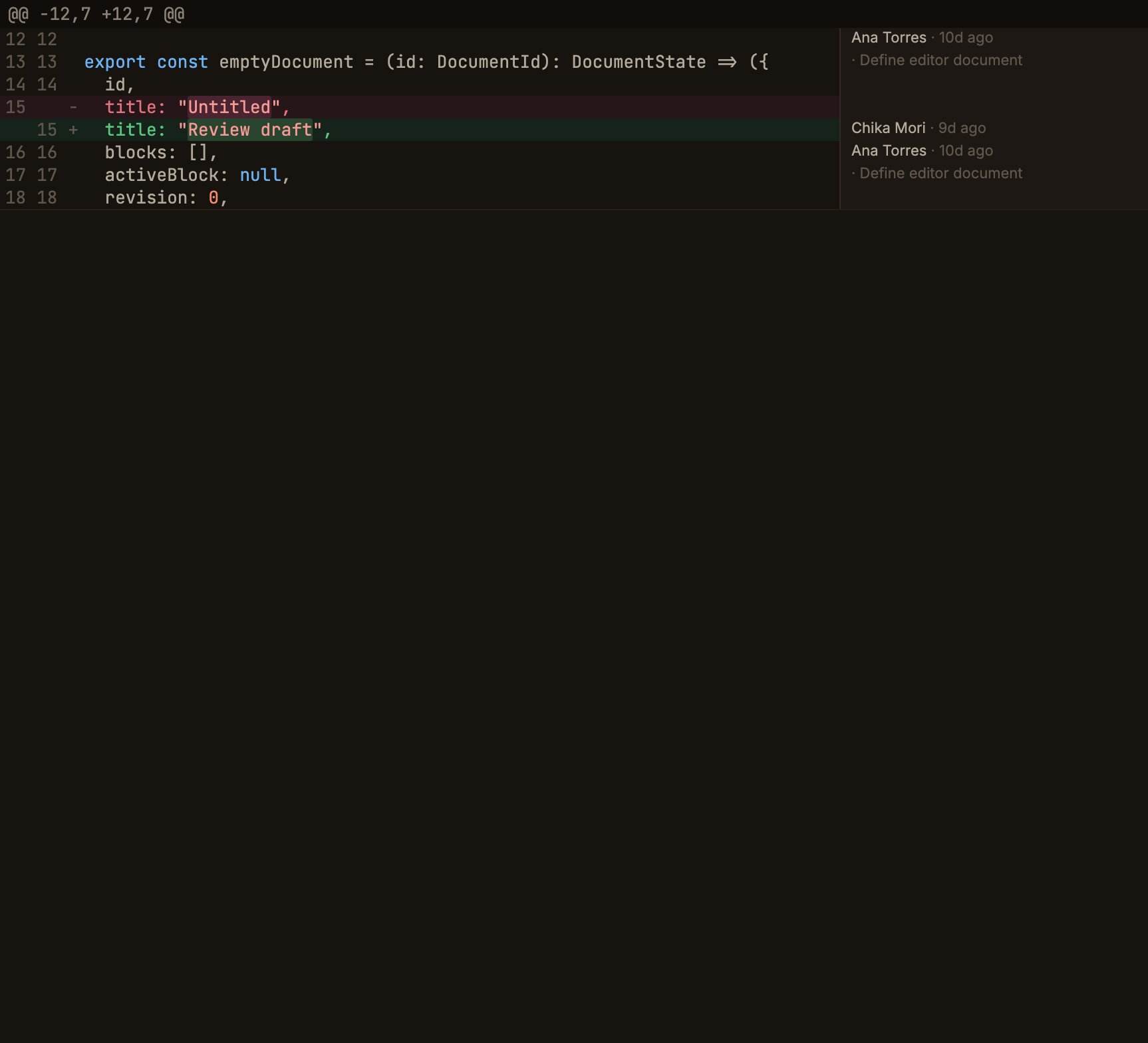
Blame appears only in the unified mode of the Compare view.
It doesn’t appear in split mode, the commit diff tab, the Working copy diff, or file history.
The reference commit is Compare’s head.
Reading the column
- Grouped by commit groups consecutive lines from the same commit into one block, with
Author · relative dateon the first line and· commit summaryon the second. - Pinning to the right of the viewport keeps the column in place even when you scroll the code horizontally.
- Deleted lines are blank, with no blame shown for a line that no longer exists at head.
- Hover card appears when you hover over a cell, showing the author’s name and email, the absolute date, the 7-character SHA, and the message summary.
Interactions
- Click switches to the graph tab, selecting and scrolling to that commit.
- Right-click opens a menu with Open this commit’s diff (repeating it walks further back in history), Show in graph, and Copy SHA.