

Tags are created and deleted from the commit graph’s right-click menu. Creating one is only available from the graph. It requires picking the commit to tag.

Creating a tag

Right-click a commit and choose Create tag….
  • Title is the tag name. Required.
  • Description (optional) makes the tag lightweight when left empty, or annotated when filled in.
  • Push to origin pushes the tag to that remote as you create it once you turn it on. The label names the remote it would push to, which is the repository’s Default remote, falling back to origin. A tag doesn’t belong to a branch. Per-branch tracking plays no part here. With no remote configured, the toggle doesn’t appear at all.
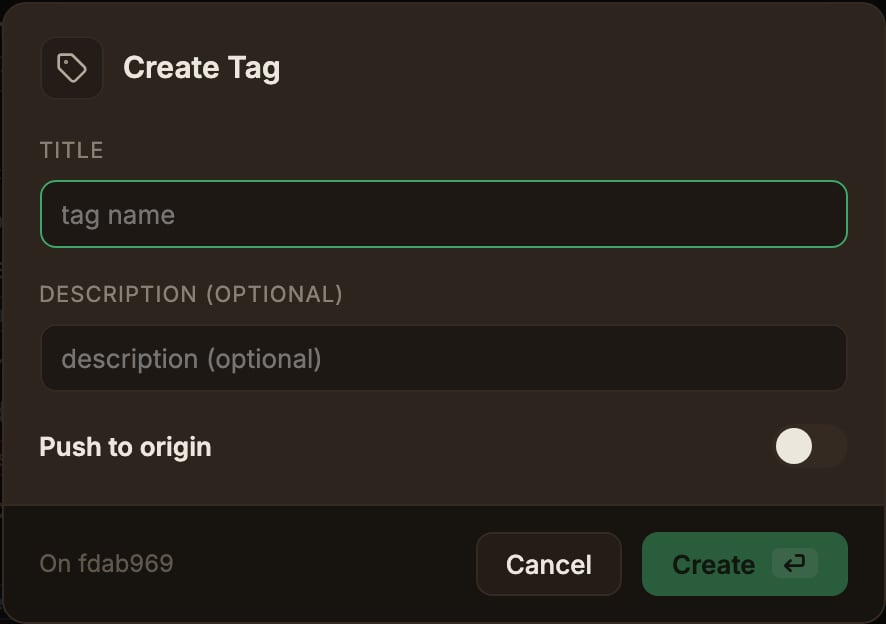
The Create tag dialog for entering the tag name and optional description, and choosing whether to push it to the remote

Deleting a tag

Right-click a commit with a tag badge and choose Delete from the tag submenu. The Also delete on origin toggle attempts to delete the tag on every configured remote (its label lists them all), and remotes that don’t have the tag show a Git error as a notification.