

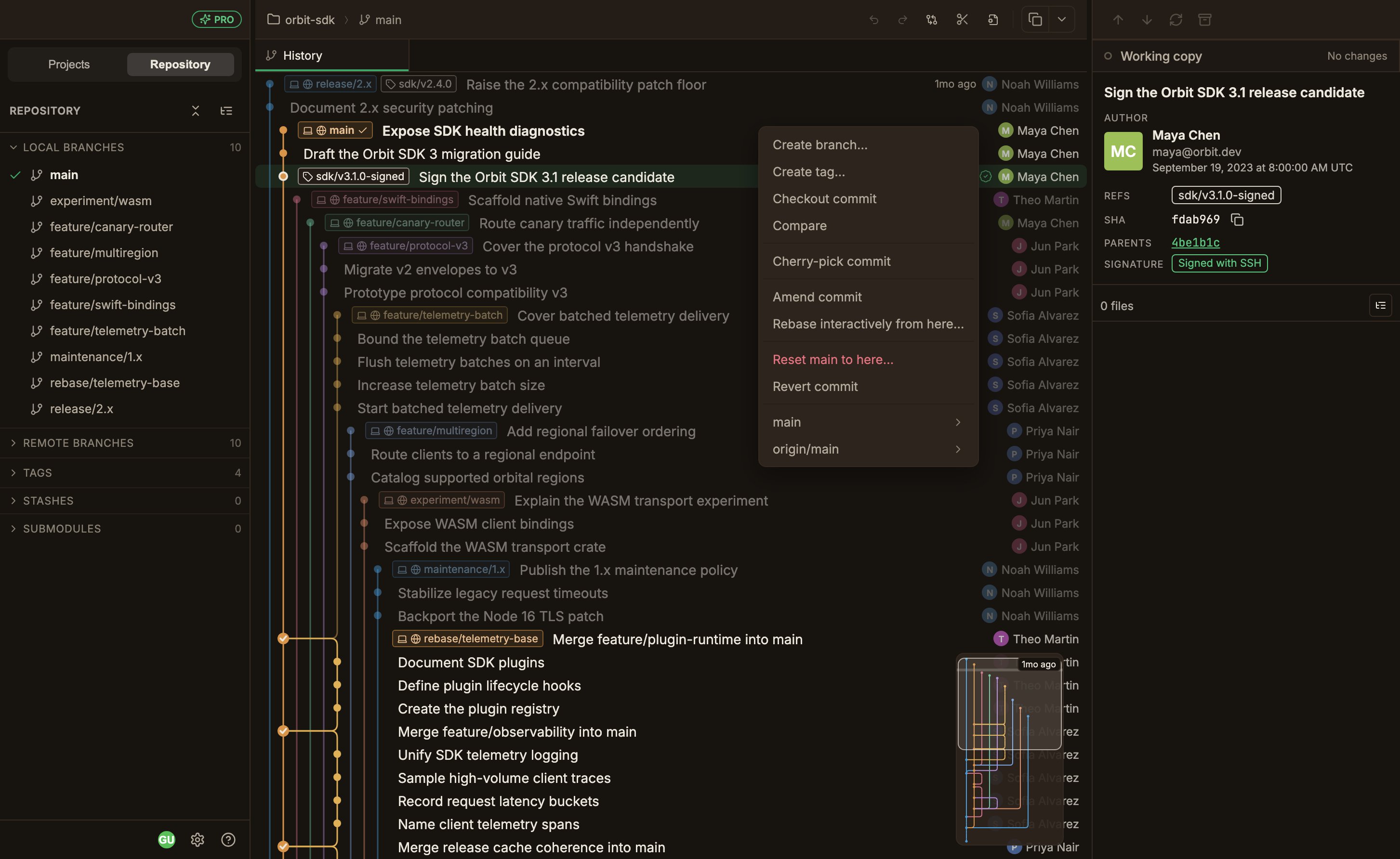
Reading the menu
The menu is organized into five groups, and items whose conditions aren’t met, along with empty groups, disappear together with their divider. On a commit with branch and tag badges, a submenu for each ref is appended at the very end.The only items shown in red are Reset and the ref submenu’s Delete.
The complete menu rules are laid out in Interface tour.
Merge
Merge into the current branch with the default, no-fast-forward, or squash strategy.
Rebase
Rebase onto a branch or commit, and reorder or squash commits interactively.
Cherry-pick & revert
Apply a commit onto the current branch, or undo one with a new commit.
Reset
Move the current branch back to a commit in soft, mixed, or hard mode.
When a conflict happens
When a conflict happens, the operation stops and a banner appears in the Working copy panel. In the banner, you can check the kind of operation in progress and how many conflicts remain, and click Continue / Abort; during a rebase, Skip also appears.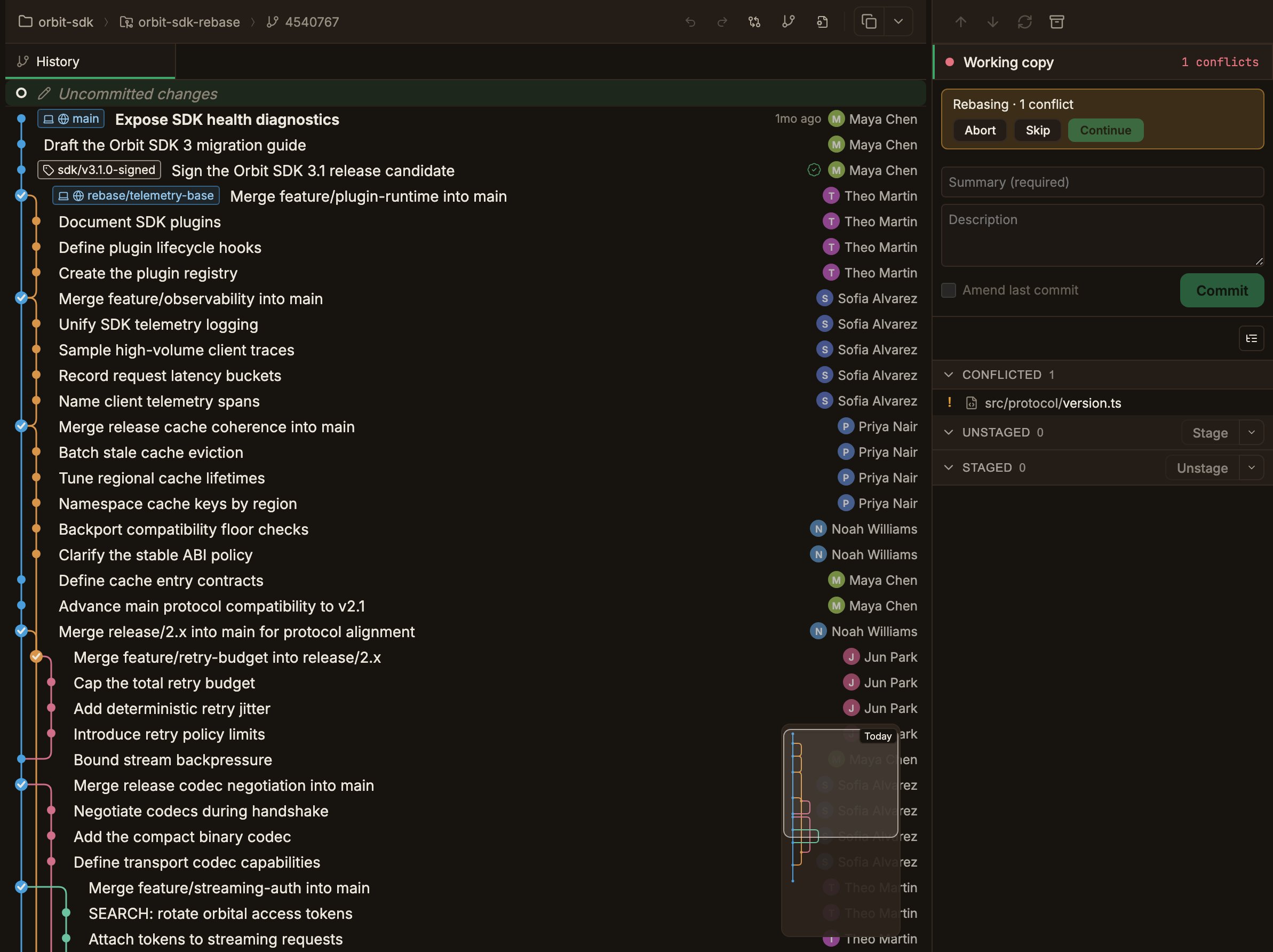
If conflicts remain, the Continue button is disabled.
It becomes active once you resolve and stage all conflicted files.
Resolving merge conflicts covers how to resolve them.