> ## Documentation Index
> Fetch the complete documentation index at: https://docs.parallelane.com/llms.txt
> Use this file to discover all available pages before exploring further.
# File history
> The commit list and diffs for a single file
See the commits a specific file has gone through, with the list and its diffs side by side in a dedicated tab.
Renamed files are traced back through their renames too.
 ## Layout
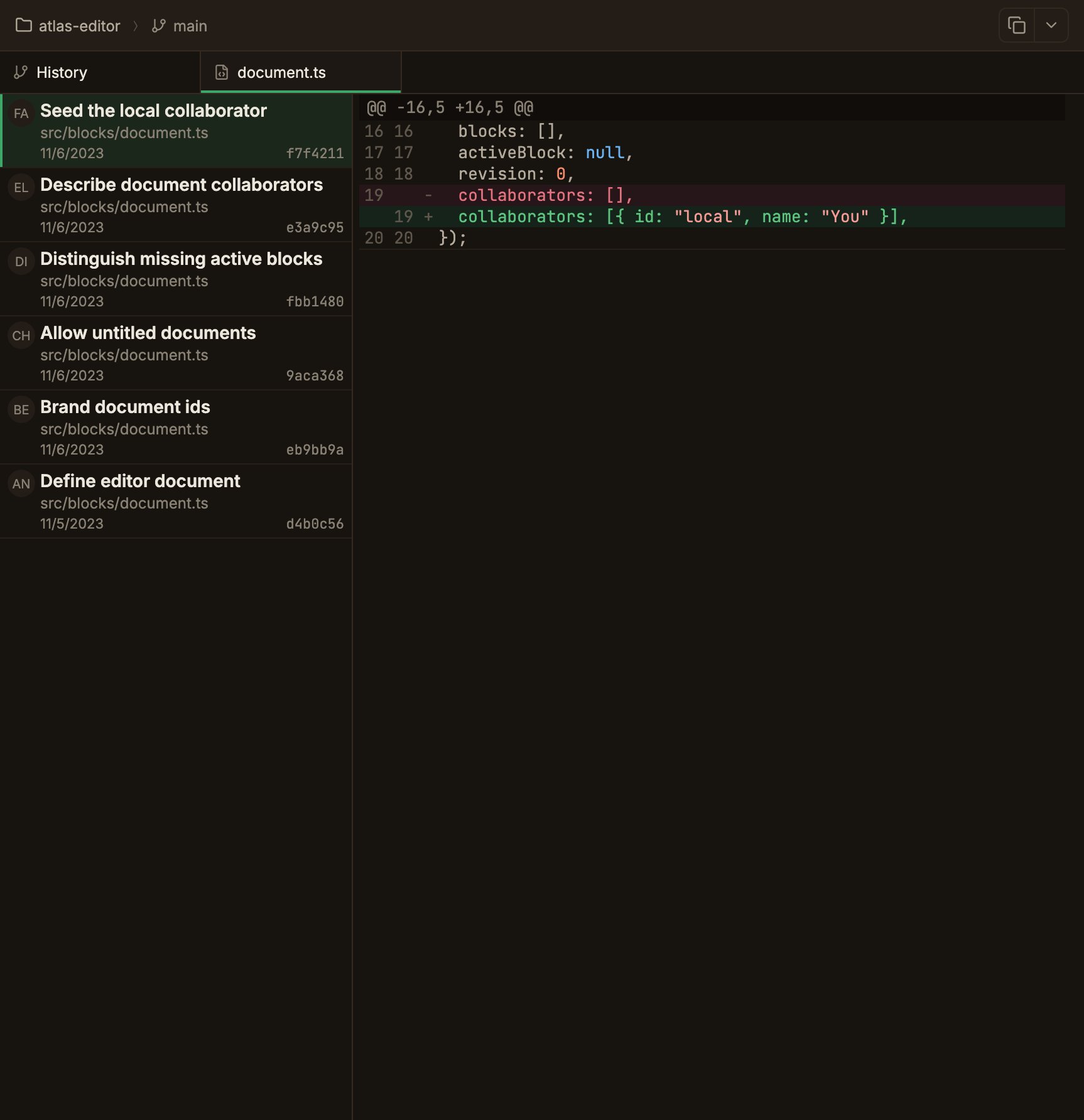
A two-pane split between the commit list on the left and the diff on the right; drag the divider in the middle to resize.
* **Left list** — lists the commits that touched the file, each with an avatar · message · path at that point in time · date · short SHA.
Only commits reachable from the current HEAD are shown, newest first, up to 1000.
* **Right diff** — shows the change the selected commit made to that file (against its parent) in the regular diff viewer.
## Opening file history
In the commit detail's changed-files list, right-click a file → **View file history**, or click the same-named button in the diff tab header.
The most recent commit is selected automatically the first time you open it.
At the point where a file was renamed, the list shows the rename as `old-path → new-path`, and the history continues tracing the old path from there.
For the rename commit itself, the full file content at that point is shown instead of a diff against the parent, with a note explaining why.
File history is read once when the tab becomes active.
It does not refresh automatically as new commits accumulate, so switch to another tab and back to refresh it.
## Layout
A two-pane split between the commit list on the left and the diff on the right; drag the divider in the middle to resize.
* **Left list** — lists the commits that touched the file, each with an avatar · message · path at that point in time · date · short SHA.
Only commits reachable from the current HEAD are shown, newest first, up to 1000.
* **Right diff** — shows the change the selected commit made to that file (against its parent) in the regular diff viewer.
## Opening file history
In the commit detail's changed-files list, right-click a file → **View file history**, or click the same-named button in the diff tab header.
The most recent commit is selected automatically the first time you open it.
At the point where a file was renamed, the list shows the rename as `old-path → new-path`, and the history continues tracing the old path from there.
For the rename commit itself, the full file content at that point is shown instead of a diff against the parent, with a note explaining why.
File history is read once when the tab becomes active.
It does not refresh automatically as new commits accumulate, so switch to another tab and back to refresh it.